Automation Case Study: Registration & SMS Verification Pipelines
A technical automation project focused on real-world web interaction challenges: dynamic forms, anti-bot protection, proxy authentication, captcha solving, and SMS verification pipelines.
The project consists of two independent automation scenarios: a React-based registration flow and a full-cycle phone verification system with external API integrations.
The solution demonstrates production-level handling of unstable flows, including retry logic, debugging artifacts, and resilience to failures during multi-step verification processes.
Architecture
automation-case-sms/
├── README.md
├── requirements.txt
├── .env
├── task_1_xtrm/
│   └── registration.py
├── task_2_poisondrop/
│   └── sms_verifier.py
└── assets/
Two independent automation tasks covering dynamic registration flows and a full SMS verification pipeline with captcha solving, proxy auth, and failure diagnostics.
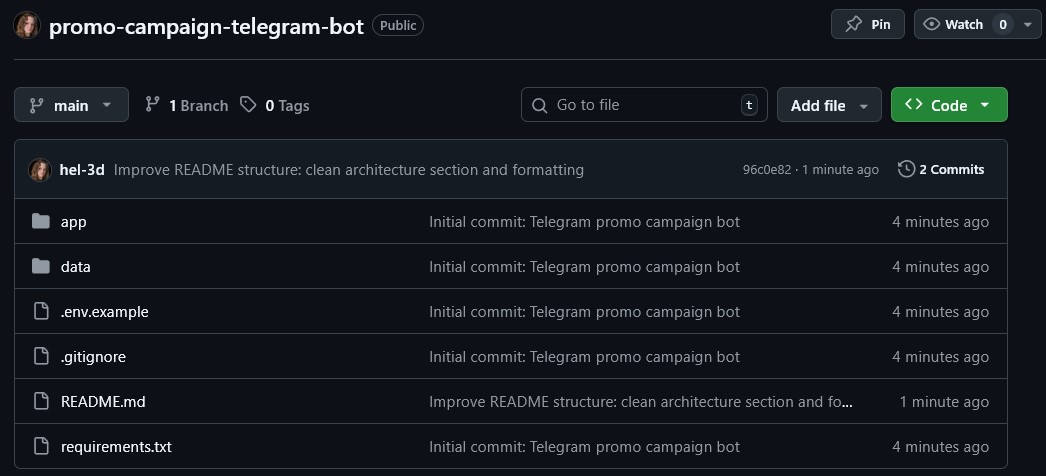
Local project structure showing the two automation tasks, supporting assets, and environment-based configuration used in the repository.
Overview
This project was developed as part of a technical assessment that turned into a more realistic automation challenge than the original brief suggested.
The first task focused on automating registration inside a dynamic web application with anti-bot protection and non-trivial frontend behavior. The second task required building a complete SMS verification flow: getting a virtual number, entering it into the site, solving captcha, waiting for the OTP, and completing the login or registration process.
The final result is a compact but strong automation case study showing how I approach unstable browser flows, external service integrations, and production-style diagnostics.
What I Built
Core Features
- Automation of a dynamic registration form in a React-based web application
- Full-cycle SMS verification flow: number acquisition, captcha solving, OTP polling, and code entry
- Browser automation with Selenium and SeleniumBase in undetected mode
- Proxy authentication through a runtime-generated Chrome Extension (Manifest V3)
- Integration with RuCaptcha for text captcha solving
- Integration with CoreCluster API for virtual phone numbers and SMS status polling
- Retry logic for unstable steps such as captcha refresh, SMS waiting, and number reuse failures
- Automatic debug artifact saving with screenshots and HTML dumps on failure
- Environment-based configuration for API keys, proxy credentials, and secrets
Responsibilities
- Designed the full automation approach for both tasks
- Implemented browser-side interaction logic for dynamic frontend elements
- Handled anti-bot obstacles using UC mode and browser-level adjustments
- Built a custom proxy auth solution instead of relying on manual browser setup
- Integrated external services for captcha solving and SMS delivery
- Added diagnostic logging and artifact capture for faster debugging
- Structured the project as a reusable portfolio case with clear setup and execution flow
Task 1: XTRM Registration
This flow automates registration in a dynamic React-based web application. The main challenge was not just filling the fields, but triggering the correct frontend behavior through the expected input and change events.


Screenshots of the automated form filling process for the XTRM registration flow.
Task 2: SMS Verification Pipeline
This scenario automates account creation with phone verification, including authenticated proxy usage, captcha solving, SMS polling, and final OTP submission.


Log output showing number acquisition, captcha solving, SMS waiting, and successful code entry.
Technical Details
The project is split into two automation flows. The first one targets a registration process on a dynamic web application and focuses on correctly interacting with frontend-controlled inputs. Instead of relying only on standard typing, the solution uses JavaScript-based input handling so that the application receives the expected change and input events.
The second flow is a more complete verification pipeline built around Selenium. It requests a virtual phone number through CoreCluster, enters it into the website, solves a captcha through RuCaptcha, waits for the incoming SMS code, and then submits the received OTP back into the interface.
Proxy authentication is handled through a dynamically generated Chrome Extension using Manifest V3, allowing the script to work with authenticated HTTP proxies without manual setup. This keeps the execution self-contained and easier to reproduce across environments.
For resilience and debugging, the script saves screenshots and HTML snapshots whenever something breaks. It also logs the outcome of each phone attempt and includes retry-oriented logic around captcha fetching, number acquisition, and SMS polling so the flow can continue operating even when external services behave inconsistently.
Sensitive configuration such as API keys and proxy credentials is stored in environment variables, keeping the code reusable and safer to share as a portfolio repository.
Architecture / Workflow
- Step 1: Launch browser automation with Selenium or SeleniumBase depending on the target flow.
- Step 2: Configure anti-bot-resistant browser behavior and authenticated proxy access.
- Step 3: For the registration task, fill dynamic fields in a way that triggers the correct frontend events.
- Step 4: For the SMS task, request a virtual phone number through CoreCluster API.
- Step 5: Submit the number into the target website and proceed to captcha verification.
- Step 6: Send captcha to RuCaptcha, poll for the answer, and submit the solved text.
- Step 7: Poll the SMS provider until the verification code becomes available.
- Step 8: Enter the OTP into the site and complete the flow.
- Step 9: On any failure, save screenshots and HTML dumps into artifacts for investigation.
Challenges & Solutions
-
Challenge: Standard Selenium input often does not trigger the frontend logic correctly in React-based forms.
Solution: I used JavaScript-based field filling to trigger the expected input and change events instead of relying only on default typing.
Result: The registration flow behaved like a real user session and passed the frontend validation logic reliably. -
Challenge: The target flows included anti-bot protection and unstable browser-side behavior.
Solution: I used SeleniumBase in UC mode for the registration scenario and tuned the browser automation setup to reduce basic bot-detection signals.
Result: The automation became much more stable on protected pages than with a plain Selenium setup. -
Challenge: Authenticated proxy usage is awkward to manage in standard Selenium sessions.
Solution: I generated a Chrome Extension at runtime using Manifest V3 to inject proxy configuration and credentials automatically.
Result: The verification flow ran with authenticated proxies without manual browser setup. -
Challenge: Captcha solving and SMS delivery are both external dependencies and can fail or respond slowly.
Solution: I added retry-oriented logic for captcha refresh, number acquisition, and SMS polling, plus automatic screenshots and HTML dumps on failure.
Result: The pipeline became easier to debug and much more resilient to flaky third-party services.
Result
The project resulted in two working automation flows: one for dynamic web registration and one for full-cycle SMS verification with proxy auth, captcha solving, and OTP handling.
Beyond the technical assessment itself, it became a strong portfolio case showing practical automation engineering: handling anti-bot measures, integrating external APIs, stabilizing unreliable steps, and designing workflows that are easier to debug when something breaks.
It also demonstrates the overlap between automation QA and backend-style integration work, where the goal is not just to click through a page, but to make a full verification pipeline work reliably under real conditions.